JOIN THE REVOLUTION
From LEGO bricks
to a real career in tech.
Ages 6 to 18, block coding to professional developer. Three routes, one course at a time, each ending somewhere you can picture — with an assessment and a verifiable certificate at every level.

- career pathways
- 3 career pathways
- courses, 4 levels
- 12 courses, 4 levels
- to start, 4 sessions
- RM180 to start, 4 sessions
Where this actually leads.
Pick the route that matches your child, then follow it course by course. Every stage has its own level, its own assessment, and something they finish and keep.
From player to creator to professional
For the child who already spends weekends inside games and has started wondering how they are made.
- 01 · Age 6–11
Scratch
Block coding with no syntax, game logic, Scratch Olympiad.
- 02 · Age 10–13
GDevelop
Visual events, still no code. A real engine, published to itch.io.
- 03 · Age 13–16
Godot
GDScript — real text code. 2D and 3D games, published to Google Play.
- 04 · Age 15–18
Unity
C# and mobile games, published to the App Store.
- 05 · Age 16+
Unreal Engine
Blueprints and C++, AAA-scale tooling. Elective or bootcamp.
WHAT THEY PUBLISH, AND WHEN
- Scratch L1 · age 6
- Scratch L2–L3 · age 8–10
- Scratch Olympiad · age 10–13
- First itch.io game · age 12–13
- Godot 2D → 3D · age 13–15
- Google Play · age 15–16
- App Store · age 17–18
WHERE IT LEADS
- Mobile Game Developer
- Indie Studio Founder
- AAA Game Programmer
- Game Designer
- Freelance Game Developer
From block coding to full-stack and certified Python
For the child who likes solving the puzzle more than the pictures.
- 01 · Age 6–13
Scratch
Block coding, game and story logic, Scratch Olympiad.
- 02 · Age 10–16
Python
Text coding for the first time. L1 basics, then OOP, data and APIs.
- 03 · Age 13–16
Web Development
HTML, CSS, JavaScript, React and FastAPI. Full-stack projects.
- 04 · Age 14–17
PCEP → PCAP → PCPP
Python Institute certification, recognised internationally, sat as real exams.
THE TOOLS THEY GRADUATE THROUGH
- Scratch · blocks, age 6–13
- Replit · cloud IDE
- VS Code · L3–L4
- Jupyter / Colab
- Terminal + Git
WHERE IT LEADS
- Full-Stack Developer
- Python Developer
- Data Scientist
- Backend Engineer
- Certified Programmer
From building robots to engineering real systems
For the child who takes things apart. This path stays physical the whole way through.
- 01 · Age 6–15
EV3 / SPIKE
Physical robotics with Scratch-style blocks. FLL and WRO competitions.
- 02 · Age 10–13
Micro:bit
A real microcontroller, MakeCode blocks, sensors and display.
- 03 · Age 10–14
MicroPython
Python running on hardware. Pi Pico W with WiFi, IoT basics.
- 04 · Age 13–17
Arduino / ESP32
Arduino C++, ESP32 with WiFi and Bluetooth, complete IoT systems.
- 05 · Age 15–18
Robotics Pro
Raspberry Pi and full Linux. AI, computer vision, ROS, capstone project.
THE HARDWARE THEY BUILD ON
- LEGO SPIKE Prime · FLL ready
- Micro:bit V2 · MakeCode
- Pi Pico W · WiFi IoT
- Arduino Uno / ESP32 · C++
- PiCar-X AI robot · portfolio piece
WHERE IT LEADS
- Robotics Engineer
- IoT Developer
- Embedded Systems Developer
- AI / ML Engineer
- Hardware Startup Founder
How to choose the journey and plan it.
You do not need to know what a microcontroller is. You need to read your own child, and then commit to a level rather than an age.
- STEP 1
Read the child, not the trend
Plays games all weekend and asks how they are made → Game Developer. Prefers the puzzle to the picture → Software Developer. Takes the remote control apart → Robotics Engineer.
- STEP 2
Enter at the level, not the age
Beginner is 7–10, Intermediate 11–14, Advanced 15–18 — but a child joins whichever level fits their experience. The trial session tells us which one that is.
- STEP 3
Plan around the assessments
Assessments run in June and December, one per level. Work backwards: choose a package that keeps your child in class steadily up to the sitting, and register a month ahead.
The step every path runs into
Somewhere between 10 and 14, blocks become text. That is where self-taught children quit — the screen stops forgiving them, a missing bracket breaks everything, and nothing explains why. Getting a student through that transition is the single most useful thing an instructor does, and it is why our class sizes are capped rather than filled.
Coached, not spoon-fed.
We hold students to active learning and independent thinking. Coaches do not hand over the answer — they step in with technical support the moment a student is genuinely stuck.
-
Discipline into active learning
Students try first, every time. Reading the brief, predicting the outcome and testing it is the lesson — not watching a coach demonstrate it.
-
Independent thinking first
When a challenge stalls, the coach asks questions before giving instructions. The student keeps ownership of the solution, and of the mistake.
-
Technical support on demand
Broken hardware, a stubborn bug, an environment that will not install — coaches with real industry experience unblock it so the lesson does not stall.
-
Progress you can see
Weekly progress notes and project photos in the parent portal, so you know what was attempted and where the difficulty sat.
Every class runs the same five beats.
A 1.5 hour session with a fixed shape, so students always know what is expected and where they are in the work.
- 1
Attend class
Physical or online, same session plan, same coach.
- 2
Know the goal
The class opens with what will be achieved by the end of it.
- 3
Learn the core concept
One idea per lesson, explained until the student can restate it.
- 4
Apply it in 3 challenges
Three graded challenges take the concept from copy to independent use.
- 5
Solve the mission
An open problem with no worked example. This is where the learning shows.
One record, three points of view.
Coaches record and assess in our mobile app; parents follow the same record and register for assessments from it; students work through their own portal. Nothing is kept in a private notebook.
Recorded in class, visible at home
- Coaches mark attendance, challenges completed and mission outcomes during the lesson.
- Coaches assess and score mock tests, and log where a student struggled.
- Parents see level progress, session balance and project photos after every class.
- Parents register their child for the June or December assessment from the app.
iOS & ANDROID
The student's own workspace
- Lesson goals, the three challenges and the mission for each class.
- Their level map: what is cleared, what is next, what the assessment covers.
- Submitted projects and coach feedback in one place.
- Certificates once a level is passed, verifiable by anyone.
learn.advaspire.io
Packages, and what they include.
Buy sessions, not months. Bigger packages bring the per-session rate down; every package includes 1.5 hour classes, all project materials, parent portal access and weekly progress notes.
Beginner · ages 7–10
EV3 · Scratch · Micro:bit- 4 SESSIONS
RM 180
RM 45.00 a session
Use within 2 months
Start with a free trial -
MOST CHOSEN
12 SESSIONS
RM 513
RM 42.75 a session · save RM 27
Use within 6 months
Start with a free trial - 24 SESSIONS
RM 972
RM 40.50 a session · save RM 108
Use within 12 months
Start with a free trial
Intermediate & advanced · ages 11–18
Python · Advasbot · Godot · Arduino · Web App · AI- 4 SESSIONS
RM 240
RM 60.00 a session
Use within 2 months
Start with a free trial -
MOST CHOSEN
12 SESSIONS
RM 684
RM 57.00 a session · save RM 36
Use within 6 months
Start with a free trial - 24 SESSIONS
RM 1296
RM 54.00 a session · save RM 144
Use within 12 months
Start with a free trial
Session validity, in plain terms
Sessions expire, so plan a package your child can actually finish. Two months of validity for every 4 sessions bought — 4 sessions last 2 months, 12 last 6 months, 24 last a year, counted from the purchase date.
Example: buy the RM 513 package on 1 August 2026 and every unused session expires on 1 February 2027.
Assessments cost nothing extra
There is no exam fee. Sitting an assessment simply consumes one session from your existing package.
One assessment per level. Two chances.
Progression is earned, not assumed. Passing the level assessment is what opens the next level — and what produces a certificate anyone can verify.
-
June & Dec
Actual assessments are held twice a year. Registration closes one month before the sitting.
-
Mock first
Students sit a mock test before the real thing. Passing the mock is what qualifies them to register.
-
1 retake
Two attempts per level in total. Failing both means leaving that programme, so the mock matters.
-
Certified by Advaspire
Every pass produces a certificate tied to the level and the course. Employers, schools and competition organisers can check it themselves — no phone call, no email.
CERTIFICATE OF COMPLETION
Python — Level 2
Assessment: December 2026
ID: ADV-PY2-004182
Verify a certificateThe rules, in one place
- One assessment per level; a pass is required to move up.
- Register for the actual assessment at least one month early.
- Maximum one retake — two attempts in total.
- No assessment fee; it consumes one package session.
- Failing both attempts means being withdrawn from that programme.
Eight steps, trial to certificate.
The whole route, so you know what you are agreeing to before you agree to it.
- 01
Book a first trial
Make an appointment for a free 90-minute session with the real tools.
- 02
Register and enrol
If it fits, register as a student, pick a package and enrol in a class slot.
- 03
Attend classes
Weekly sessions, each following the five-beat lesson flow.
- 04
Sit the mock test
Taken in class, before any real assessment, to see if the level is solid.
- 05
Register for assessment
Pass the mock, then register — at least one month before June or December.
- 06
Take the assessment
No fee — it uses one session. One retake is available if needed.
- 07
Get certified
A pass certifies the level and unlocks the next course on the pathway.
- 08
Verify it online
The certificate is checkable at learn.advaspire.io/verify by anyone.
Our classes, as they actually look.
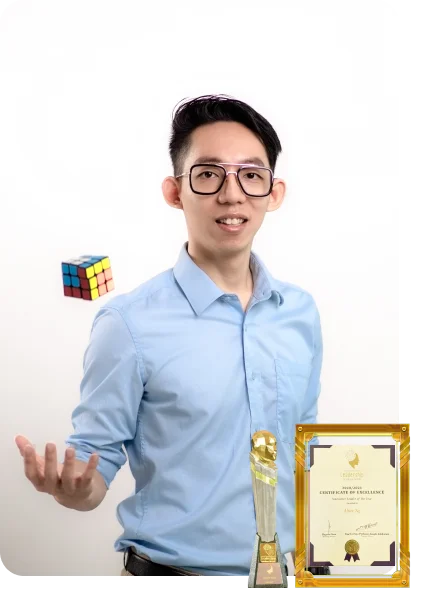
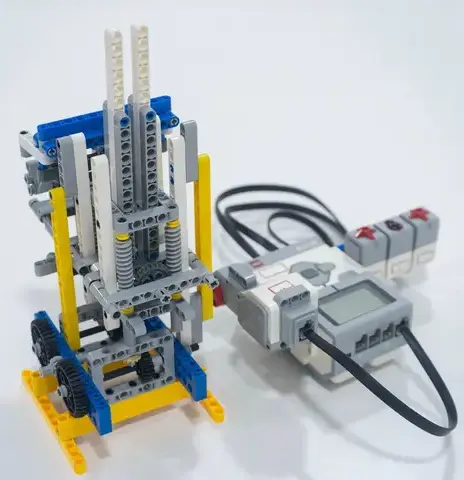
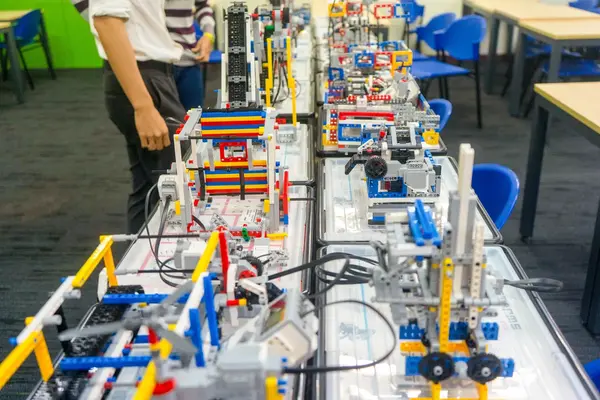
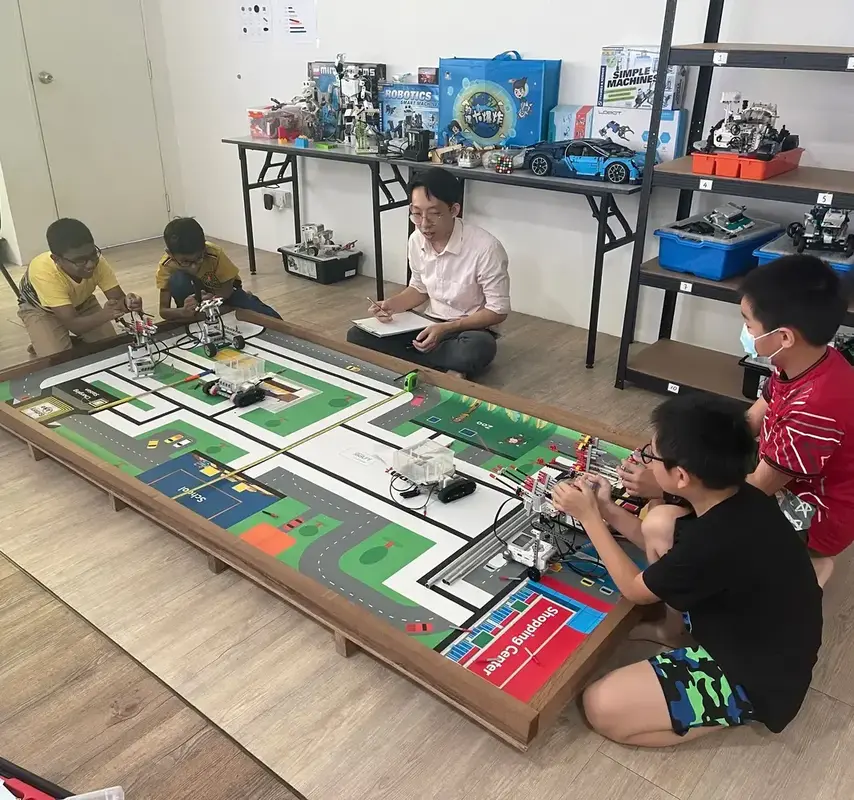
Real footage and photos from our Semenyih and Kepong classrooms — students mid-build, mid-debug and finishing projects.
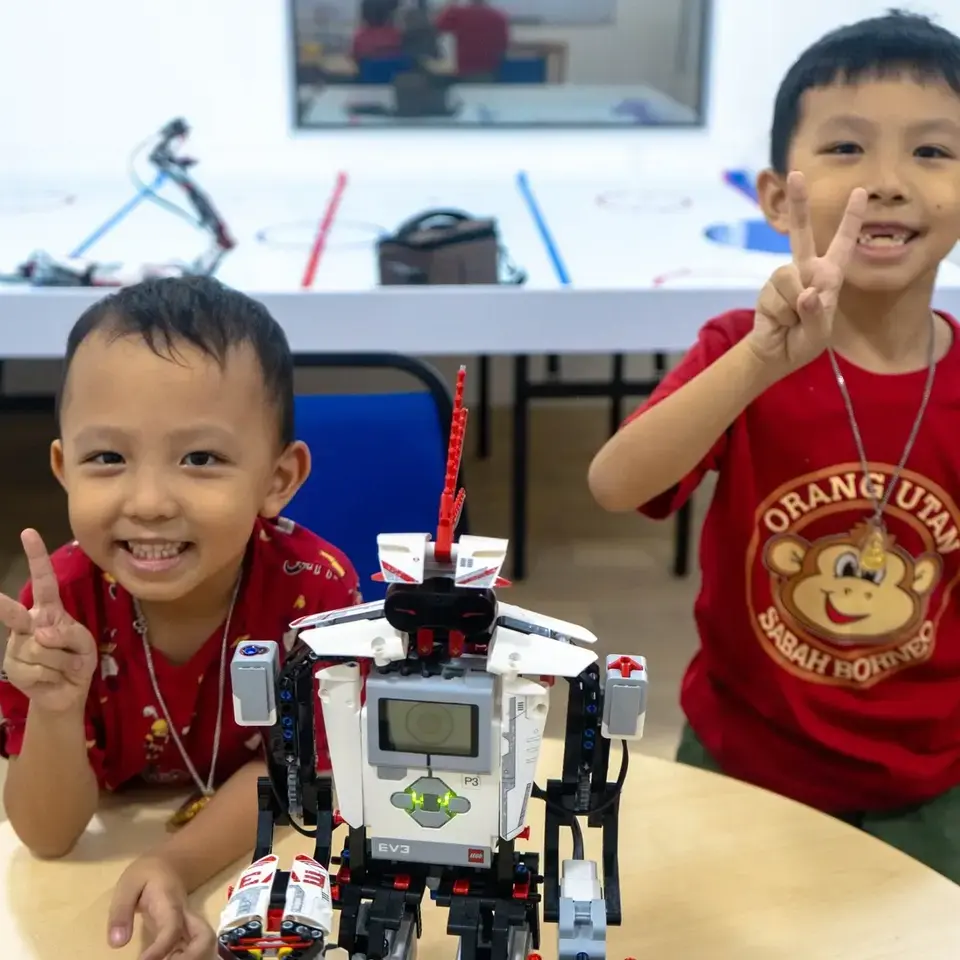
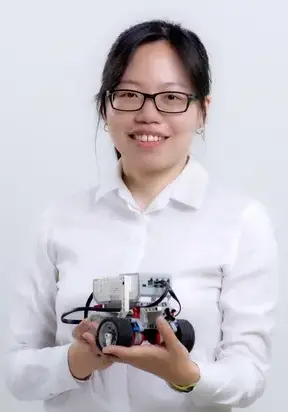

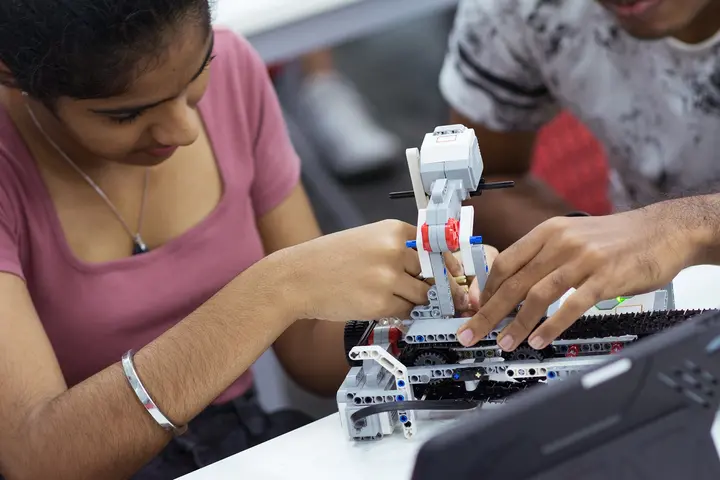
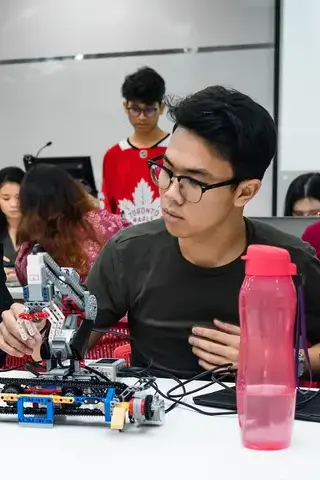
Video footage of a full lesson and more student projects are on our gallery page.
READY?
Try a class. Free.
A 90-minute session, a real project, and something your child takes home. No card, no deposit, nothing to cancel.
-
01 NO PAYMENT NEEDEDWe won't ask for card details.
-
02 90-MIN SESSIONReal tools, real project — not a sales pitch.
-
03 PARENTS WELCOMESit in, ask questions, see the room.